
You changed a product URL in PrestaShop and now it’s a 404: how to keep your SEO
You edited a product’s name or friendly URL, saved, and without knowing it you planted a bomb: the old address — the one Google had indexed and other sites linked to — now returns a 404 error. Let’s see what happened and how to fix it without losing rankings.
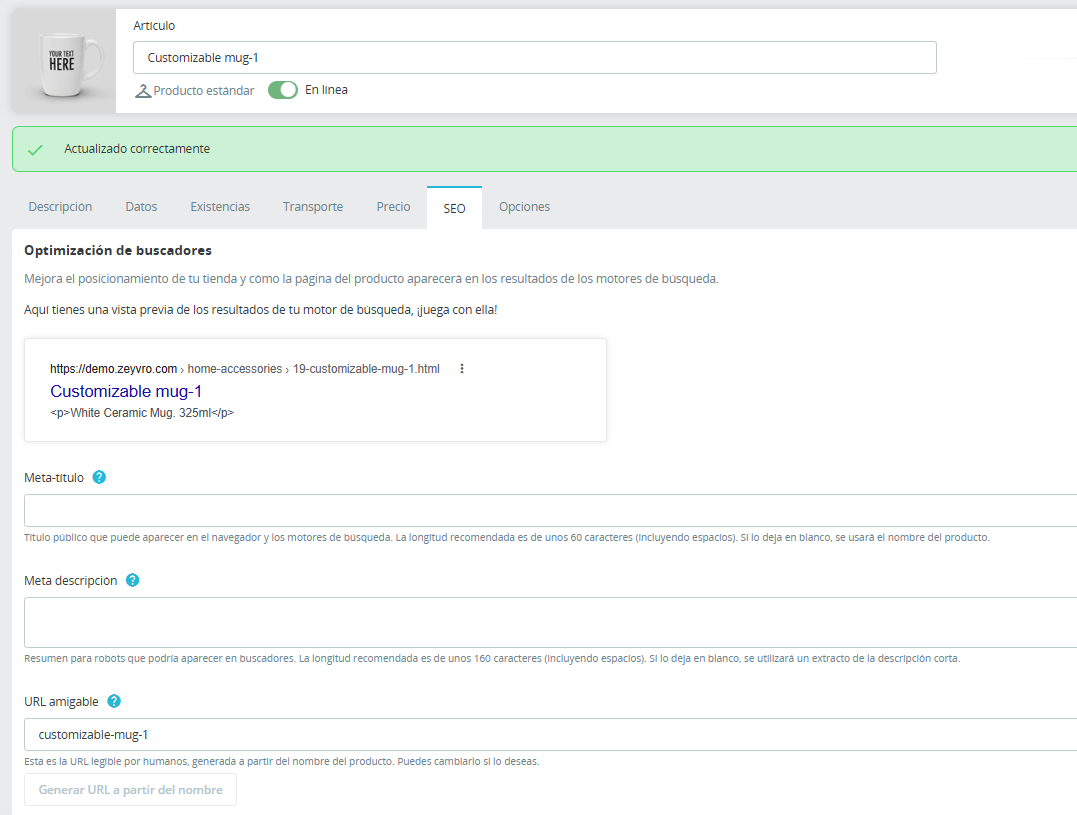
What happens exactly when you change a slug
The friendly URL (the “slug”) is part of the product’s address. Change it and PrestaShop serves the product at the new address while the old one stops existing. Google still has the old one indexed for a while: every visit coming through it hits a 404, and little by little that page loses rankings and disappears.
How to find your store’s broken URLs
Check coverage in Google Search Console (404 errors), look at your server logs, or use a crawler that lists URLs returning errors. If you just changed slugs, those are the suspects.
The manual fix (and why cases slip through)
You can create a 301 redirect yourself from the old URL to the new one. It works, but it depends on you remembering to do it every time and knowing exactly what the previous URL was. Day to day, with many changes, some slip through — and each one is lost traffic.
The automatic fix
The reliable approach is for the system to detect the slug change and create the 301 for you, old to new, right away. No reliance on memory, no 404 slipping through.
Real case: recovering traffic after a botched migration
A store migrated from PrestaShop 1.7 to 8.x and, in the process, changed its URL structure without mapping the old addresses. The result: hundreds of products and categories returning 404s, organic traffic sliding week after week, and rankings evaporating before anyone noticed in analytics. The fix meant cross-referencing the old URLs (from Search Console and the previous sitemap) against the new ones and creating a 301 for each pair. Traffic came back, but it took weeks to reindex — far more expensive than setting the redirects on migration day. The lesson: in any large URL change, 301s aren’t the last step, they’re part of the migration.
FAQ
- How long until Google notices the 404?
- Days to weeks; the sooner the 301, the less you lose.
- Do I recover SEO if I add the 301 late?
- Largely yes, but the longer it’s a 404, the harder it gets.
- What if I changed several URLs and don’t remember which?
- You need automatic detection or a crawl that lists the 404s.
Don’t let a single 404 slip: the 301 creates itself when the slug changes → SEO Redirect for PrestaShop 8 →
Zeyvro: PS8 modules from a real, live store, unobfuscated code.
See also: How to set up 301 redirects in PrestaShop 8 · 3 ways to manage 301 redirects in PrestaShop