
3 ways to manage 301 redirects in PrestaShop (and which one is right for you)
There’s no single “correct” way to manage redirects in PrestaShop: it depends on how often you change your URLs and how much hassle you want. Here are the three approaches, with their pros and cons, no fluff.
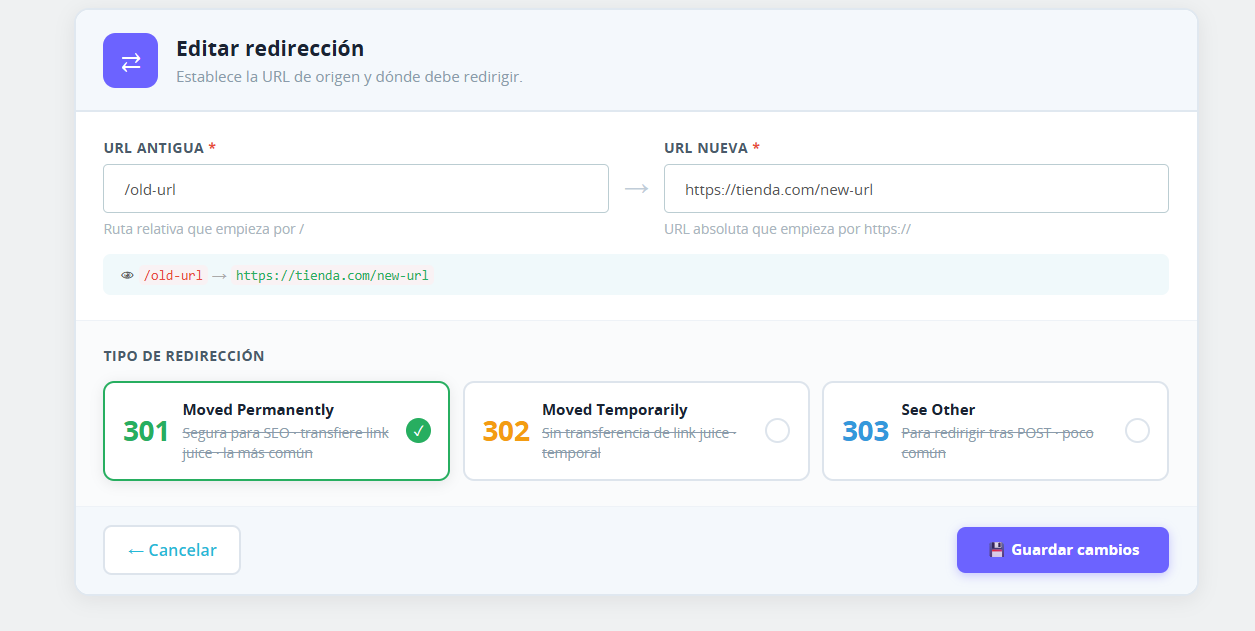
Method A — manual .htaccess
You edit the rules directly in the server file. Pros: free and full control. Cons: technical, one mistake takes the site down, doesn’t scale with many redirects, and doesn’t detect slug changes. Fits if: you have few redirects, know what you’re doing and almost never change URLs.
Method B — manual manager in the BackOffice
You create and edit redirects from the panel, no file editing. Pros: convenient and safe. Cons: you create each redirect yourself; change a slug and forget, and the 404 stays. Fits if: you want convenience and control, and your URL changes are occasional and you remember them.
Method C — automatic detection + bulk management
The system detects slug changes and creates the 301 for you, plus you can import many at once via CSV. Pros: no 404 slips through, saves time in migrations. Cons: it’s a module feature (a cost). Fits if: you change URLs with any regularity or you run migrations.
So which one? (straight talk)
If you almost never touch your URLs, method A or B is plenty — don’t pay to automate something you won’t use. If you change URLs often or you’re migrating, method C pays for itself with the first 404 you avoid. Be honest with yourself about how much your catalog changes.
FAQ
- Does automatic replace manual?
- No: the best is a module that does both (manual + automatic + CSV).
- What is CSV import for?
- Migrations or redesigns where many URLs change at once.
- Can I start by hand and switch later?
- Yes, but migrating .htaccess rules to a manager is work; if you expect to grow, start with a manager now.
If your case is method C: automatic detection + CSV, no .htaccess → SEO Redirect for PrestaShop 8 →
Zeyvro: PS8 modules from a real, live store, unobfuscated code.
See also: How to set up 301 redirects in PrestaShop 8 · You changed a product URL and got a 404: how to keep your SEO